

How Criminals Use Social Media to Target Victims (and What Not to Post)
IconBack to Articles

How Criminals Use Social Media to Target Victims (and What Not to Post)

May 13th, 2026
Share:

Key Points 


  • Criminals use passive surveillance and active targeting on social media, monitoring posts, searching photos for valuables, and developing relationships using a fake identity.  
  • Several high-profile cases in Southern California confirm the dangers of posting certain information online, including property identifiers and valuable belongings.
  • Practices such as not posting your vacation photos until after you’re back home and recognizing red flags when making connections on social media can protect you and your property from burglars and scammers. 

From major life events to daily routines, people share a lot of their lives on social media. Criminals are using this to their advantage, monitoring these platforms to gather data and find their next victims. 


This practice is becoming much more common, especially in Southern California. The LAPD reported 11,303 burglaries in 2025, with about 3,000 occurring in the San Fernando Valley in the first half of the year alone. The city department and the FBI have issued formal warnings about criminals who stalk public social media accounts to identify properties worth targeting. While you may have heard about high-profile figures getting robbed, it’s not only celebrities: Anyone with a public social media account and visible assets can be targeted.


Let’s discuss exactly how criminals use social media to target victims and review recent cases in LA and Southern California communities. We’ll then show you how to better protect yourself and your property against online threats.

The Tactics Criminals Use and How They’re Watching You Online

Modern criminals use social media in two general ways: through passive surveillance and active targeting. Passive surveillance is the monitoring of social media posts and accounts. Burglars use this tactic to gather information about potential victims, including their locations, routines, and home security vulnerabilities. 


Active targeting involves using social media to build trust with potential victims. This often involves making a fake or duplicitous account and developing relationships with other users, whom criminals later exploit and steal from. 


Here are some more specific scenarios of both tactics: 

Monitoring Vacation and Away-From-Home Posts

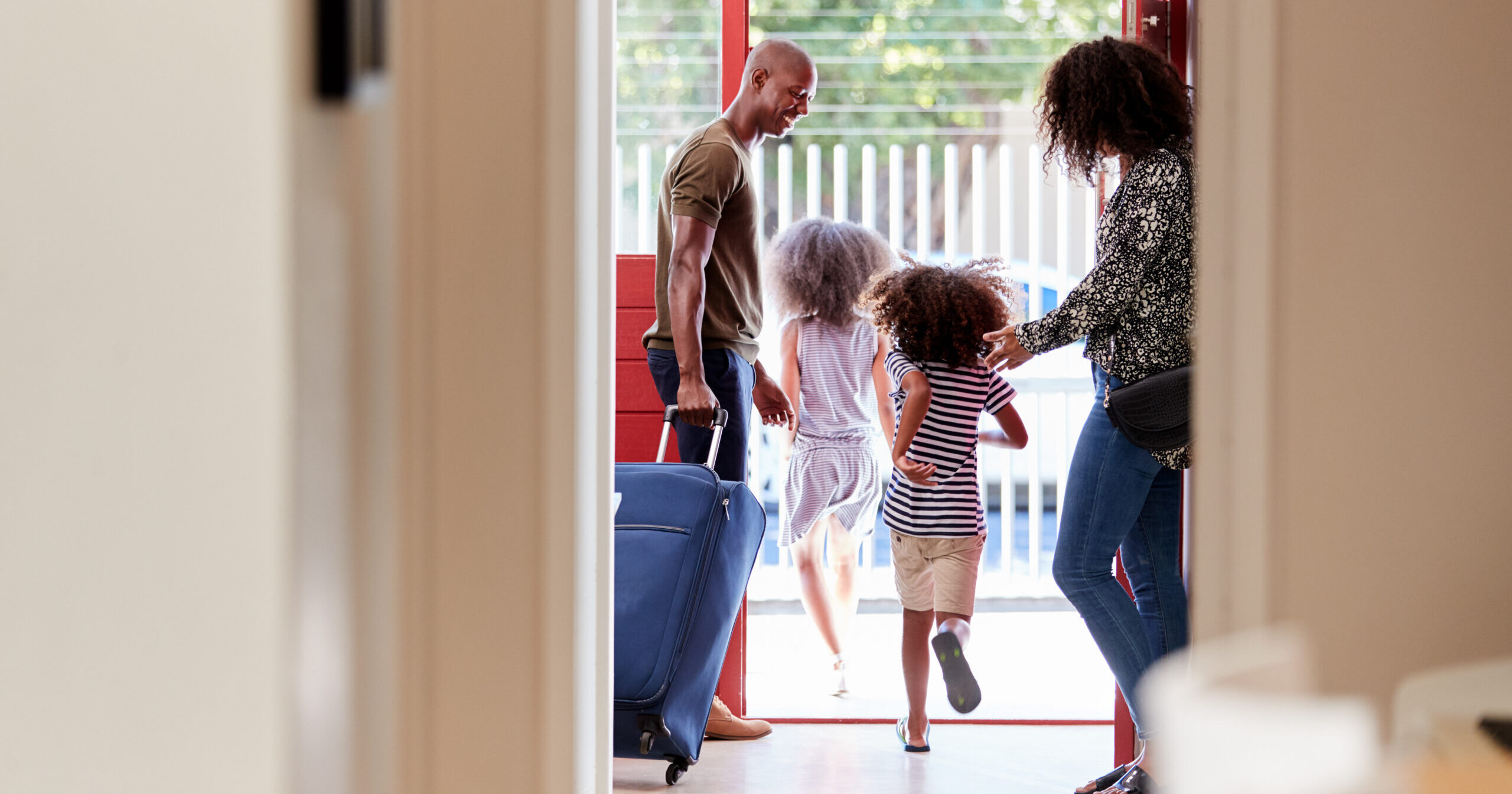
Real-time posts about your vacation away from home signal that your house is empty. Tagging locations, posting check-ins, and sharing travel itineraries invite burglaries to take advantage of your absence. Other property signals, such as no cars in the driveway and packages piling on the porch, help to confirm that nobody’s home. 

Searching for Valuables in Photos

Pictures and videos with highly valuable items—whether they’re front and center or in the background—are also used by criminals. We saw this occur at scale in 2024, when multiple professional athletes’ homes were burglarized. The FBI issued a warning to sports leagues to keep “boastful” images of valuables offline, NBC News reported. 


Star athletes, including Travis Kelce, Patrick Mahomes, and Joe Burrow, were victims of burglaries in 2024. The thieves, whom the FBI suspects were South American organized theft groups, mostly took cash and high-value belongings. 


Not all criminals go after famous people, and you don’t necessarily have to have a large following to be at risk. Any person with a public social media account who posts about their life, particularly the inside of their home, could be a target.

Posing on Dating Apps and Social Platforms

Criminals may also organize romance scams, creating a fake dating app or social media profile to build a relationship and gain their victim’s trust. The most recent, high-profile example of this is the case of LA model and influencer Adva Lavie, who went by Mia Ventura and under aliases when posing as the girlfriend of wealthy older men before stealing valuables from them. 

Analyzing EXIF Metadata and Geo-Tagged Photos

EXIF (which stands for Exchangeable Image File Format) metadata are the technical details embedded within images that can be tracked and exploited by cybercriminals. The Information Systems Audit and Control Association (ISACA) reported that most smartphone photos contain embedded EXIF metadata that can reveal timestamps, the model and manufacturer of your phone, and, most critically, the photo’s location. 


Even a photo taken in your living room or backyard, with no obvious location markers, can expose location data to criminals. Reverse image search and Google Street View are also well-documented tools used by burglars. 

Real Cases From LA and Southern California

In recent years, there has been a rise in Los Angeles cases of criminals using social media to track down and steal from victims. Here are two high-profile stories that serve as cautionary tales: 

The “Mia Ventura” Case

From 2023 to 2025, LA model and social media influencer Adva Lavie used dating apps to steal from the wealthy older men she dated and younger women in her social circles, according to the Los Angeles County District Attorney’s Office. Lavie, also known as Mia Venture, Shoshana, and Shana, stole cash, gold, and high-end designer items. According to podcast host Michael Sartain, who spoke with ABC7, she has also robbed fellow female panelists of their credit cards and cash. 


Following a preliminary hearing in March 2026, Lavie was held to answer on six felony counts, to all of which she pleaded not guilty. No trial date has been set as of publication. 

LA’s “Most Tasteful Burglar” 

In early April 2026, NBC News published a burglary-spree story that had been years in the making. This report starts with Victoria Paris, an influencer whose Silver Lake house was broken into while she was away. The burglar stole “at least $15,000 worth” of designer accessories, including bags, scarves, and jewelry. 


Though not confirmed, it’s likely that the criminal relied partially on passive surveillance, stalking Paris’ social media and waiting until she was out of town before breaking into her home. 


Paris posted about the burglary, hoping to connect with any of her followers who might have information about the criminal. Her posts garnered attention from other victims in the Los Angeles area who believed it was the same man stealing from them. Several of the other crimes were furniture dealer theft, including a 21-piece Mah Jong sofa priced at $58,000.


The prime suspect is Zack Vincler, a man previously convicted of burglary and identity theft. He spent eight months in jail and was released on probation in March 2024. His current whereabouts are unknown, and the victims and furniture collectors still worry that he’s still an active threat planning his next crime. 

What Not to Post on Social Media: A Practical Checklist for Southern California Residents

How we use social media and what we decide to post affects our security against criminal threats. The following safety measures strengthen the security of your property, privacy, and belongings. 

What to Keep Off Your Feed Permanently

When posting photos or videos online, always exclude the following things. Be conscious of both what’s physically in the content you post, as well as the text added to a photo and the details spoken in a video. All of these components can be exploited by burglars using passive surveillance to learn more about you. 


  • High-value belongings, such as watches, jewelry, designer bags, or large amounts of cash
  • Your home’s layout, security setup, or entry points
  • Your home address, neighborhood name, or recognizable landmarks near your home
  • Your daily routine or predictable schedules, such as your gym location and times, commute routes, and recurring social outings. 

Before You Leave Home

Whether you’re leaving for the day or for a couple of weeks, you don’t want criminals to get word that your home is empty. Follow these social media best practices: 


  • Don’t announce travel plans or departure dates in advance
  • Don’t post real-time check-ins at airports, hotels, or tourist destinations
  • Turn off location services on social media apps
  • If you do want to post about a trip or vacation, wait until you’re back home 

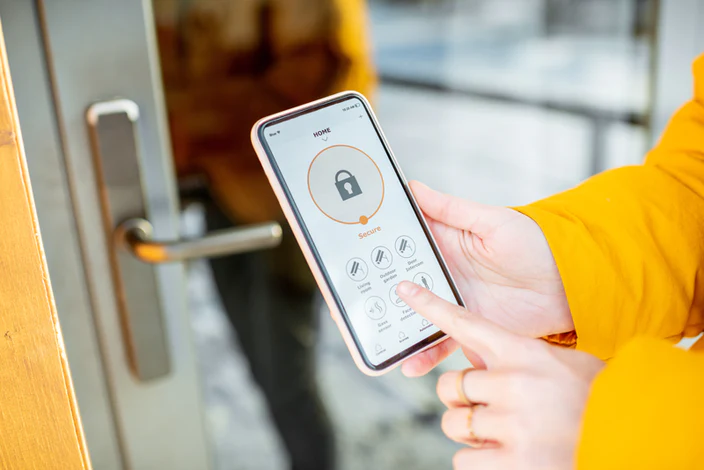
If you are planning a vacation, make sure to inspect your home’s security features before you go, or install new ones to better fortify your property. From live video monitoring and remote access control to simple practices like ensuring all doors and windows are locked before leaving, strengthening your home security gives you more peace of mind while you’re away. 

On Dating Apps and Social Platforms

Social platforms are designed to help people connect. While many dating apps have safety features in place, you can and should further protect yourself from threats or scammers by: 


  • Being cautious when someone expresses interest in where you live or when you’re home. Never invite a stranger to your home; instead, meet in a public location, or if the conversation or connection feels off, don’t meet at all. 
  • Limiting personal details, including your home address, where you work, and any other things you don’t feel comfortable sharing. 
  • Reporting suspicious activity either on the dating app itself or to the LAPD (213-486-6840 Robbery-Homicide) or LASD (818-878-1808)

Photo and Tech Tips

Finally, disable EXIF metadata on your phone camera before posting. You can do this by going to your phone’s settings and finding location services. While you’re in settings, you can also audit and edit your privacy settings on the social media platforms you use regularly. 


How Post Alarm Helps Protect Southern California Homes From Social Media-Savvy Criminals

Awareness of social media-related crimes is the first line of defense, but it’s not enough on its own. Serving homeowners in Beverly Hills, Santa Monica, Malibu, and surrounding communities, Post Alarm combines expert knowledge of criminal trends with advanced security technology to deliver the best in property protection. 


For more than 70 years, Post Alarm has provided customers with the most advanced and reliable security solutions available. As a privately held, local, third-generation family business, Post has provided alarm and patrol services to Southern California communities, neighborhoods, and homeowners since 1956.


As one of the only local, full-service security organizations in Southern California, we’re proud to provide customized security solutions that enable earlier threat detection and a synchronized response, helping you get the support you need faster when it matters most.


Ready to build your home security system? Reach out and get a free security quote today!


FAQs

Can criminals find my home address from a photo I post online? 

Yes, photos taken on smartphones contain embedded EXIF metadata, which can include precise GPS coordinates even when no location is visible in the image itself. Criminals and cybercriminals can extract this data using freely available tools. Disabling location services for your camera app before shooting and sharing photos is one of the simplest ways to prevent this exposure.


What are the warning signs of a romance scam on dating apps? 

Red flags include someone who quickly asks where you live, presses to know when you’re home alone, or pushes to meet at your residence rather than a public place. Scammers often build trust rapidly before making unusual requests or steering conversations toward personal and financial details. If something feels off, trust your instincts. Report the account to the platform and avoid sharing identifying information.


Is it safe to post vacation photos if my social media account is set to private? 

A private account significantly reduces your risk, but it doesn’t eliminate it entirely. Followers can screenshot and share content, and account security is only as strong as your weakest connection. The safest practice is to wait until you return home before posting any travel content, regardless of your privacy settings. Also, ensure your follower list consists only of people you personally know and trust.


What home security steps should Southern California residents take before traveling? 

Before leaving, verify that all doors, windows, and garage entry points are secured, and consider installing a monitored alarm system with remote access so you can check in from anywhere. Avoid signaling your absence on social media, and ask a trusted neighbor to collect packages or park in your driveway occasionally. Professional security monitoring services can also provide real-time alerts and a faster coordinated response if a threat is detected while you’re away.

How to Choose the Right Security Company
IconBack to Articles

How to Choose the Right Security Company

April 25th, 2025
Share:

If you’re thinking about installing a security system in your home or business, you’re not alone. According to SafeHome.org, 13 million households report that they may install an alarm system within a year. These households would join the 39 million that already have alarm systems installed. Likewise, for businesses, it’s more important than ever to invest in video surveillance and access control.


When it comes to protecting your home or business, the security company you choose matters. You’re not just investing in equipment—you’re placing your trust in a team that should be watching over what matters most to you, 24/7. Security companies have varying offerings and differ in reputation, costs, customization options, and more. This guide highlights the top seven factors to consider when choosing a security company. 

1. Local Presence & Reputation

National security companies may have name recognition, but local providers often offer more responsive, personalized service. The best security companies are not only within a reasonable distance from where you live; they are also familiar with the unique needs of your neighborhood and are better equipped to respond quickly in your neighborhood. Local security companies may also provide a more direct customer support experience. Streamlined communication is always a plus.


Questions to ask: 

  • Where is the company based?
  • How long have they been in business?
  • How well do they understand the security challenges in your community?
  • Are they well-connected with local law enforcement and other local organizations?
  • Can you meet with team members in person or at the company’s main office?
  • Is the company known and considered reliable by community members?

2. Range of Services

Are you looking to install one or two products to start, or a comprehensive security system? Check which services the company offers beyond traditional alarm monitoring and security features. The top security companies offer a wide range of services, such as Patrol, perimeter detection systems, and proactive video surveillance, that provide enhanced protection to homes and businesses. 


Make sure the security company you choose can accommodate all of the services you’re interested in. Along with a range of options, you’ll want to have a cooperative team that will work together to meet your unique security needs.


Questions to ask: 

  • Does the company offer all of the services you’re considering? 
  • How do the company’s services compare to competitors’ services? 

3. Technology and Equipment

The top security professionals stay on the cutting edge of the industry’s technology. They not only have access to the latest equipment, software, and other products; they’re also expertly knowledgeable and can verify which product is the best match for your situation.


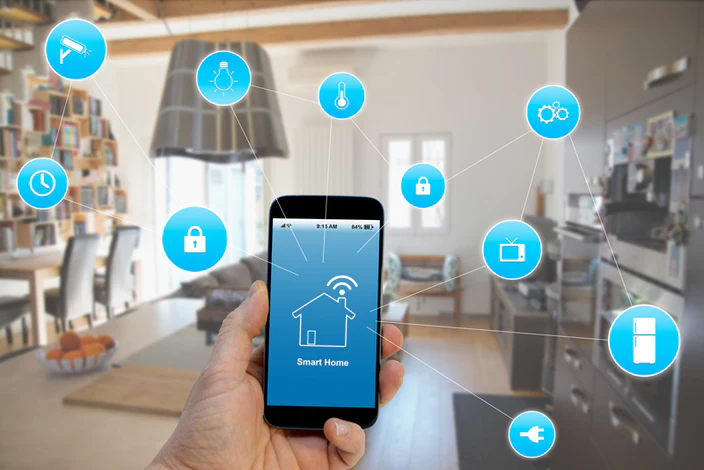
Read up on the company’s technological offerings, including live video monitoring systems, smart home services, advanced security cameras, and seamless online account management.


Questions to ask:

  • Are their security systems hard-wired or do they communicate via cellular or wifi?
  • How do the company’s security products compare to those of their competitors? Are they as advanced?
  • How often does the company update its systems and technology? 

4. Customization

Your security company should understand your unique needs and provide customized solutions. Home and commercial security do not come in one-size-fits-all systems. A security expert should evaluate your home or business in person, check the property for vulnerable areas, and recommend specific services based on their expert opinion. 


When searching for security companies, check their websites for customized options and packages. You can also look for “customized” and related key terms in online reviews, or call and ask about their offerings.


Questions to ask:

  • Do you offer on-site consultations?
  • Will my system be custom-designed or based on a preset package?
  • Can I add features like additional security cameras, smart locks, and glass break detectors?

5. Monitoring & Response Time

One of the most crucial considerations when choosing a security company is response time. Many companies outsource their alarm and video monitoring to third-party monitoring centers, sometimes located in other states. This can lead to delays or less reliable communication during emergencies. If the fire alarm goes off or an intruder is detected on the property, monitoring agents should respond immediately. Identifying threats and taking action is their number one responsibility, and a timely response could save lives and property from losses. 


You may be able to find testimonials that speak to a security company’s response times. 


Questions to ask:

  • Do you own your monitoring center, or is it outsourced?
  • Where is your monitoring center located?
  • Is your monitoring center certified? (e.g., UL-listed, Five Diamond)
  • How quickly do monitoring agents respond to alarms and alerts?
  • What is the protocol when an alarm is activated?

6. Cost & Contracts

Cost matters and should be considered along with other key factors, such as reputation and the range of services. Rather than choosing a security company based on the lowest cost of service, look for the one that offers the highest value. If a company checks every box—the latest security technology, a spotless reputation, a wide range of services—it may be worth a higher price point. 


You should also choose a company that is transparent about costs, both in conversation and in the contract terms. Some companies aim to lock customers into one- to three-year contracts, making it difficult to get out without paying cancellation fees. On the other hand, companies like Post Alarm offer month-to-month contracts, earning the business of its clients each month. 


Questions to ask:

  • Are the costs reasonable compared to industry standards?
  • How do the costs and value of services compare across companies? 
  • Does the company offer a month-to-month contract, or are their terms longer? What is your responsibility if you need to terminate a contract early?

7. Installation & Service

When choosing a security company, the quality and extent of service make all the difference. For each company you’re considering, find out who installs security systems—a dedicated team member or a third party. It’s best to have a security professional from the company install your products, as they can walk you through instructions for use. This also simplifies communication after the installation, in case you have follow-up questions or want to schedule a maintenance appointment.


Other important factors to review are a company’s licenses, customer service, and the length of service appointments. 


Questions to ask:

  • Do they have an in-house team of technicians that provides installation and service, or do they outsource?
  • How long are their installation and service windows?
  • Are the installers licensed, and have they been background checked?
  • Does the company offer phone as well as in-person technical support?

Shields Up. Since 1956.

A third-generation family business in Arcadia, CA, Post Alarm strives to provide best-in-class security services to Southern California communities. We are one of the only local, full-service security organizations, and we pride ourselves on providing professionally installed, fully integrated, customized security solutions for residential and commercial properties. We pride ourselves on earlier threat detection and a synchronized response. 


Ready to start building your custom home security package? Reach out and get a free security quote today!

Home Alone: Keeping an Eye on the Kids While You’re at Work
IconBack to Articles

Home Alone: Keeping an Eye on the Kids While You’re at Work

September 17th, 2020
Share:

Categories

The kids are out of school because of the COVID-19 pandemic, but you’re still working an essential job. It looks like summer vacation came early this year, so how do you watch the kids while you’re at work? Smart home security has your back with alerts that help you check on the kids no matter where you are.

Alerts for Open Doors

A smart home security system can keep an eye on your house until you get home from work, and one helpful feature is the open door and window alert. Place contact sensors on doors and windows, and the security system sends you an alert when a door or window is open too long.

This alert allows you to text the kids and tell them to close the door. Or, you can have alerts sent to the whole family so whoever is home can close it when they receive the alert. Not only will your house be secure, but you can save on utility bills as well.

Smart User Code Alerts

The kids may go out with another family member or out to the park with a babysitter while you’re at work. You want to know they made it home safely, right? With a smart home security system, you can give each of the kids a user code that works with smart locks you install on your doors.

The code lets them in the house, and you can set the system to send you an alert whenever one of the children uses their code. You’ll have peace of mind knowing they made it home safely.

Smart Video Clips Let You See That They Made It Home Safely

Install smart security cameras around your house, and you can actually see that the kids made it home and who they’re with. You can set the security system to send you video clips every time a defined action triggers them.

For instance, you can set your video doorbell to take a smart clip whenever one of the kids’ user codes is used to get into the house. Setting a specific trigger lets you receive the alerts you want without getting overwhelmed with video clips that aren’t relevant to the kids’ safety.

You can also see who is with them and if they have unapproved guests. In the age of social distancing, it’s important to keep your home safe, and unapproved guests could unknowingly bring COVID-19 into your house.

If you’re interested in smart home security solutions but worried about COVID-19, we’re with you the whole way at Post Alarm Systems. You can purchase our intelligent home security products, and we will ship them directly to your front door. The equipment is safe and sanitized, so there’s no need to worry about you or your family’s safety.

Our security equipment is easy to set up and install. We’re here to help you every step of the way with video or conference calling in accordance with social distancing guidelines. Post Alarm Systems is family-owned and operated, and our customers are family to us. We will continue to give you great customer service and provided the latest in security technology.

About Post Alarm – Your Local Home Security Company in Southern California

To learn more about home security technology, come to see us at Post Alarm Systems this summer. Our highly qualified and experienced home security experts can answer all your questions. Call us today at 1-800-654-7678.

How Smart Locks & Smart Security Go Hand in Hand
IconBack to Articles

How Smart Locks & Smart Security Go Hand in Hand

August 25th, 2020
Share:

Categories

You may have noticed that many of your home security devices are focused on protecting the area around the front door, starting with the doorbell camera and continuing with the first indoor motion sensors that detect whether there has been a break-in. But what about the door itself? That’s where smart locks come in.

What is a smart lock?

  • A timed auto-lock feature, should you forget to lock up when you leave or arrive home
  • Location-based locking reminders to your smartphone when you need them
  • One-touch remote locking, enabling you to lock doors from anywhere with your phone
  • Unexpected activity notifications, to notify you about unusual door locking events

There’s also integration into the Scenes feature on your home security app; more on that in a moment.

Can it connect to your other smart devices?

Yes! Your smart locks can link to the other smart devices in your home, and all can be controlled on your home security app. This enables you to perform all kinds of helpful home security actions, including unlocking the door for visitors after confirming who they are via video alert. This is great whether the visitor is a friend dropping by while you’re outside at the grill, or a delivery person dropping off a package while you’re at work.

Another thing you can do because of this device connection is use the Scenes feature on your app to lock the door, arm the security system and turn on the lights, all at the same time. If you have a smart thermostat, it can also be incorporated into those commands.

Can other people use my smart lock?

They can, if your smart lock has a numerical keypad. While you have your family’s main numerical access code, you can assign temporary ones to friends and family who may be staying over. These codes are also ideal for babysitters, housesitters, dog walkers and other workers you employ. The codes can be activated and deactivated at your discretion. This is your home security, and you’re in control of it.

These are some important ways smart locks go hand-in-hand with home security. To learn more about smart locks, call Post Alarm. We will be glad to answer your questions.

About Post Alarm

To learn more about Southern California security technology, come see us at Post Alarm. Our highly qualified and experienced home security experts can answer all your questions. Call us today at 1-800-654-7678.

Artificial Intelligence that Works for Your Home
IconBack to Articles

Artificial Intelligence that Works for Your Home

August 11th, 2020
Share:

Categories

Not so long ago, people had very different ideas about what “the future” meant. Now, we realize that the future is less about flying cars and more about automation and intelligence. It started with the home computer, continued with smartphones, and has advanced to a place where we now use artificial intelligence (AI) to make life easier. It’s nothing to be afraid of; when it works for your home and family, AI is your ally.

What AI Accomplishes at Home

The AI that’s used to make home life easier is what powers our smart home systems. These systems provide advanced home security services, but the advantages don’t end there. In addition to managing your home security system, you can use the AI in your smart home system to perform these functions and more:
  • Lock and unlock your smart lock equipped doors.
  • Raise or lower your automated window shades.
  • Control your connected smart lights inside the home.
  • Adjust the thermostat to save energy and make the home comfortable.

Artificial Intelligence with a Human Touch

AI isn’t entirely artificial; when you control it with your device, you add a human touch and customize it to your home and family. With the Scenes feature, all your connected smart home devices communicate with each other to perform these tasks in the order you choose. You can create custom scenes that align with the way your household runs; that means lights come on, doors lock and temperatures adjust at the time you need them to.
A smart home system is more than an elevated home security system. It’s also artificial intelligence that works for your home. Contact call Post Alarm to learn more. We’ll be happy to answer your questions.

About Post Alarm

To learn more about Southern California security technology, come see us at Post Alarm. Our highly qualified and experienced home security experts can answer all your questions. Call us today at 1-800-654-7678.
Save on Energy with a Smart Home System
IconBack to Articles

Save on Energy with a Smart Home System

August 3rd, 2020
Share:

Categories

Does it seem like your household energy bills get higher in the summer? In 2020, many people will see theirs being even higher due to staying home more this year. To combat this, some serious cost cutting measures are in order. But if kids have been home doing distance learning or parents have been there working remotely, it can be hard to use less energy. Fortunately, one way you may be able to cut costs is with your home’s cooling system. How is this doable in the hot Southern California summer? It’s possible if you have a smart home system, equipped with an energy-saving smart thermostat.
With its ENERGY STAR ® certified smart technology, a smart thermostat can help you save money every month, including the hot summer months. Here’s what you can expect it to do.

Automatically stop cooling when the house is empty.

One of the many ways we tend to use too much energy in the summer is by leaving the AC on when the house is empty. It might seem like a good idea at the time, until the bill arrives the following month. But with a smart thermostat, those days are over. Because it’s equipped with Geo-Services technology, your smart thermostat stops running the AC automatically when you leave the house. No more overcooling the house when nobody’s home, which keeps your energy bill down.

Tell you when open windows and doors are costing you money.

When a window or door is cracked open, the cold, conditioned air leaks out of the house – and figuratively, money leaks from your wallet along with it. But with a smart thermostat that’s connected to your security system and controlled by your smartphone, you’ll know immediately when a door or window is left open. Not only will you receive a notification, but the air conditioning will also automatically pause until the problem door or window is closed. This is smart technology that helps you save money all year long, especially in the summer.

Make your lighting more intelligent and connected.

Energy efficient lightbulbs are a great innovation, but their benefits only go so far. By changing out some of your existing household lighting for smart lights, you’ll be able to connect your lights to your security system and control them with your mobile phone.
From the palm of your hand, you’ll have the ability to turn lights on or off any time you want to. If you like, take things one step further and program them to come on at specific times of day. This cuts down on excessive lighting, which cuts down your energy bill.
With a smart thermostat, your days of paying too much for household energy can be over. Learn more about this technology by contacting Post Alarm Systems. We will be glad to answer your questions.

About Post Alarm Systems

To learn more about Southern California security technology, come see us at Post Alarm Systems. Our highly qualified and experienced home security experts can answer all your questions. Call us today at 1-800-654-7678.
Summer Safety Tips to Take Seriously
IconBack to Articles

Summer Safety Tips to Take Seriously

July 21st, 2020
Share:

Categories

Combine the high temperatures, more time at home and maybe a vacation, and you have a recipe for summer fun. However, these are also the same things that make summer a time of greater risks to your home and family. In a year that has already presented some unprecedented challenges, your family needs ways to enjoy a safer summer in 2020. Here are some tips to get started.

Be aware of summer burglary risks.

Criminals see crimes of opportunity in warmer weather, longer daylight hours, relaxed routines and homeowners being away on vacation. By keeping your vacation plans off social media and installing outdoor smart cameras that send you mobile alerts and video clips, you can protect your home from vulnerability.

Keep outdoor play areas safe.

Not all childhood injuries are minor. Falls and accidents in the yard can be serious, especially if unsafe play equipment is involved. Make sure nothing is broken, loose or rusting on your outdoor play equipment, and consider whether your family may benefit from installing smart cameras that overlook the yard.

Protect kids around the pool.

For many Southern California families, the swimming pool is the go-to for summer fun. Of course, the pool may also present the greatest safety risk of anything on your property. Help protect all the kids who use your pool by:
  • Putting the proper flotation devices on them.
  • Making sure an adult is by the pool to carefully supervise swimming.
  • Laying and enforcing ground rules for horseplay, jumping in and diving.
There is also smart home security that can help you protect kids around the pool. By placing a smart contact sensor at your pool gate, you can receive a mobile alert the moment a child attempts to open the gate.
To learn more about any of the home security technologies here, contact Post Alarm Systems. We look forward to helping you find solutions to keep your family safer.

About Post Alarm Systems

To learn more about Southern California security technology, come see us at Post Alarm Systems. Our highly qualified and experienced home security experts can answer all your questions. Call us today at 1-800-654-7678.
Smart Home Apprehension is Real. Here’s How to Avoid It
IconBack to Articles

Smart Home Apprehension is Real. Here’s How to Avoid It

June 30th, 2020
Share:

Categories

When it comes to smart home devices, some homeowners start off frustrated when it comes to using their smart home devices. But it doesn’t have to be that way; by using a smart home service provider like us, you can get the most value from your smart home technology. Here are some benefits we can offer you.

Professional Installation and Setup

Installing smart home technology requires a higher level of technical expertise than many homeowners have. And even after those physical installation steps are complete, you’ll need more professional help for setup, configuration, adding the system to your home network and integrating it with all of your other devices. The more devices you have, the more work it can be – but when you opt for professional installation, that work will be ours.

A Smarter, More Secure Home

There’s home security, and then there’s smart home security. If you’ve opted to include security services in your smart home system, then you can rest assured that every alarm activation will be answered by a trained security professional at the central station. And if you add on smart security cameras, there are even more benefits – like an immediate alert to your smartphone whenever someone’s at the door.

Unparalleled Support and Service

Homeowners who fly solo with smart home technology are missing out on the convenience of professional support. When your system encounters a problem, you don’t want to miss out too. Rather than attempting to troubleshoot the issue yourself, you can call your smart home service provider. Many times, we can troubleshoot and solve problems remotely. This is the unparalleled support you need.
Smart home apprehension is understandable – but with us at your side, there’s nothing to be nervous about. To learn more our professional smart home services, call Post Alarm Systems. We will be glad to show you what’s possible.

About Post Alarm Systems

To learn more about Southern California security technology, come see us at Post Alarm Systems. Our highly qualified and experienced home security experts can answer all your questions. Call us today at 1-800-654-7678.